Skip to content

Harmiqa

Farm books that finally make sense.

Easy accounting and expense tracking for farmers.

Desktop farm management for multi-field operations

Build your farm on the map. Plan and track the season in one place.

Draw your fields on the map. Define stock, warehouse, equipment and workers. Log work and money movements by date. Review your day, season and field-level results in one system.

No technical setup required. It runs in your computer's browser and keeps records organized under your farm.
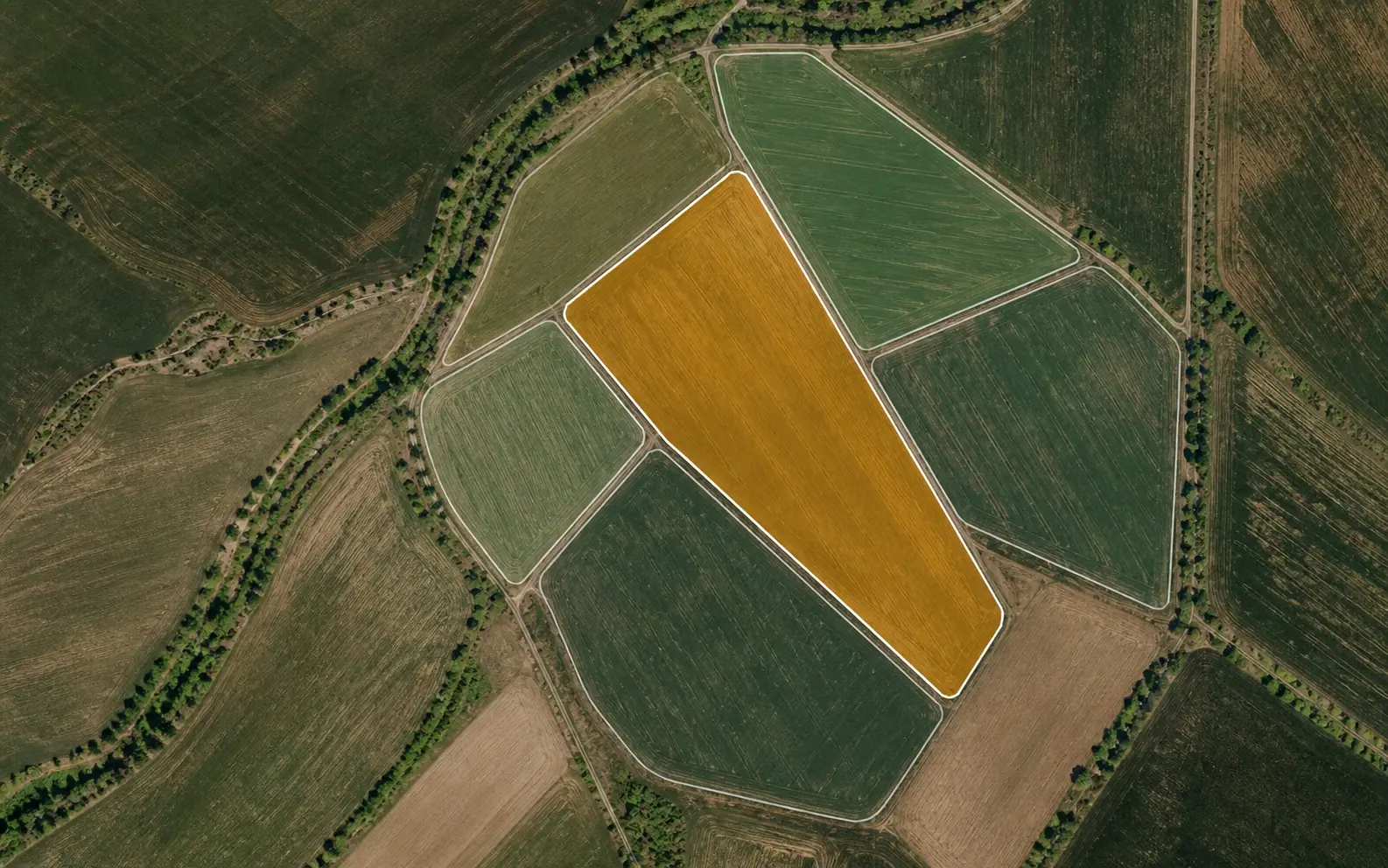
An example field outlined on an aerial map

Example Farm

Central Field

Sources © Esri, DigitalGlobe, GeoEye, i-cubed, USDA FSA, USGS, AEX, Getmapping, Aerogrid, IGN, IGP, swisstopo, and the GIS User Community
Draw the field on the map
Connect records to the field
Review the period result
Map command view for Example Farm fields and the selected Central Field

From day one to season end

Set up how your farm works in five clear steps

Define the foundations of the operation first. Then collect every field job, input and money movement in the same system.

01

Create your farm

Enter farm details, draw fields on the map and save crop information.

02

Define your resources

Create opening records for stock, warehouse, equipment and workers.

03

Log work by date

Add field work, used inputs and income or expenses in a few steps.

04

Review your day and season

Use the calendar and dashboard to review records by day, week, month and season.

05

Compare and plan

Compare field costs and periods, then build the next season's budget.

Log the day's work in a few steps

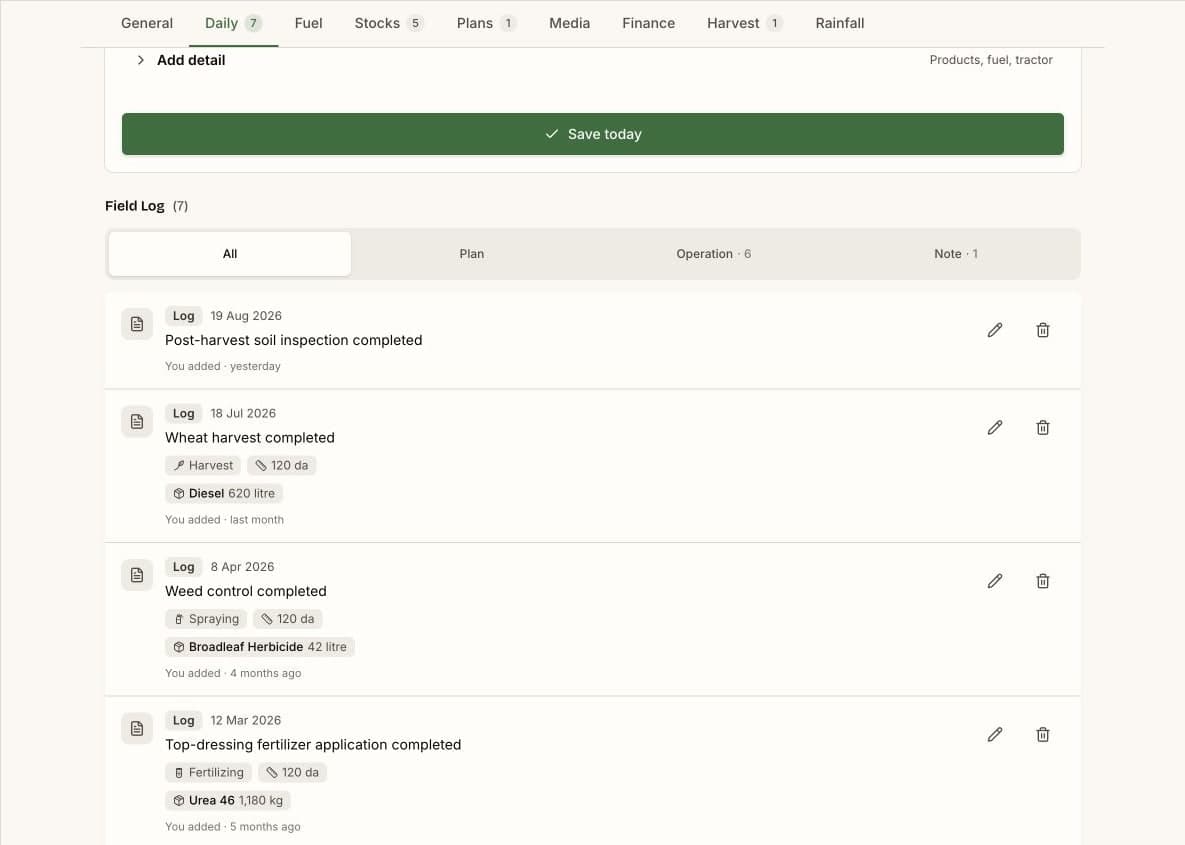
Add field work, used inputs and the date in one flow. Review what happened across the season in each field's chronological diary.
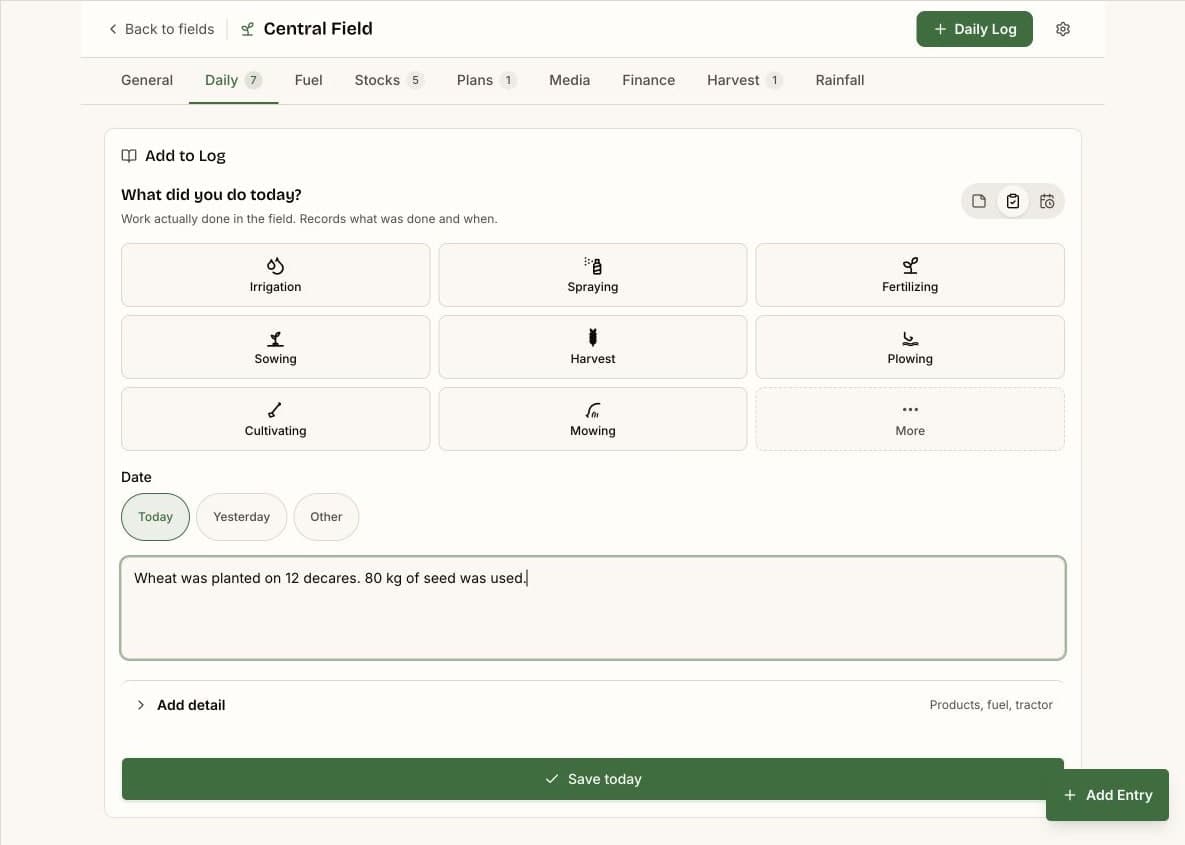
  • Quick data entry
  • Dated field diary
  • Stock usage
Harmiqa quick entry screen for recording field work and used inputs
Harmiqa field diary showing dated field work and stock usage

Move harvest into storage and track what remains

Receive harvested produce into the warehouse. Track sold and remaining quantities in the same product record.
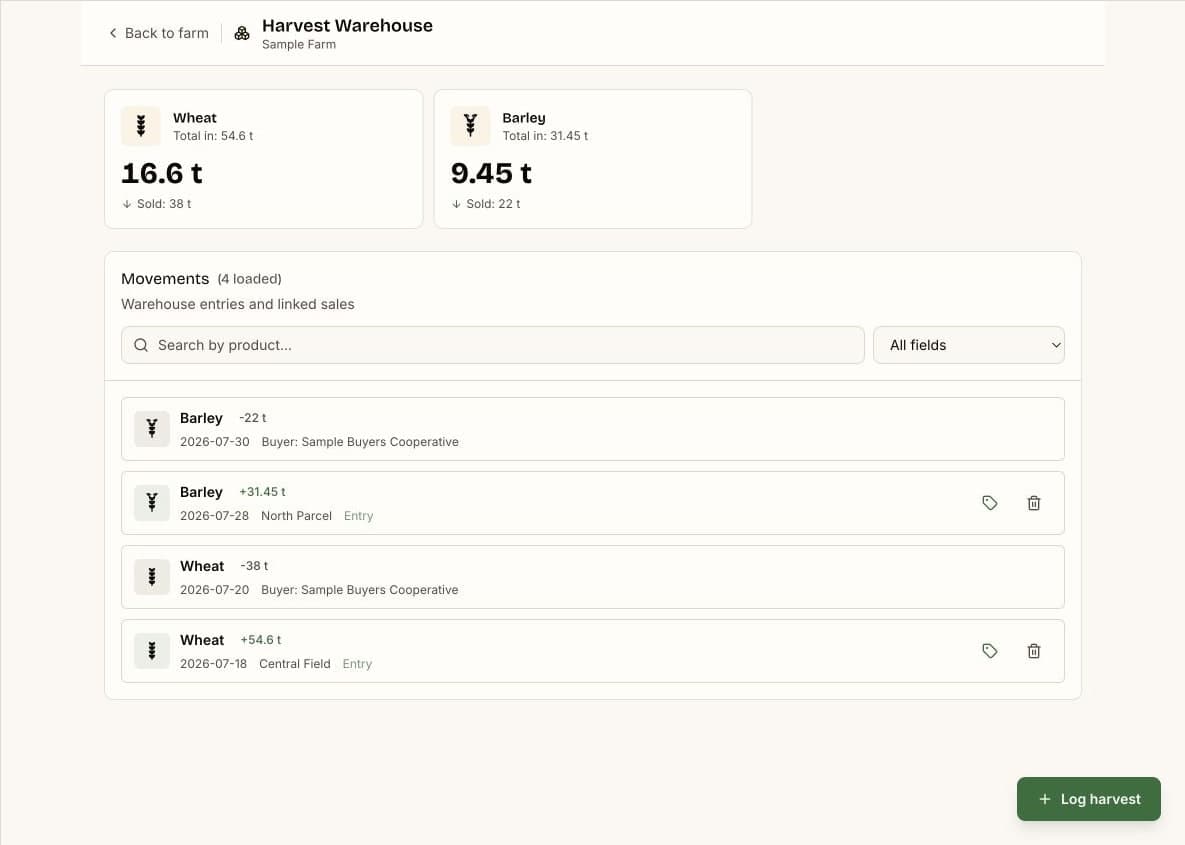
  • Harvest intake
  • Partial sales
  • Remaining produce
Harmiqa warehouse screen showing sold and remaining harvest quantities

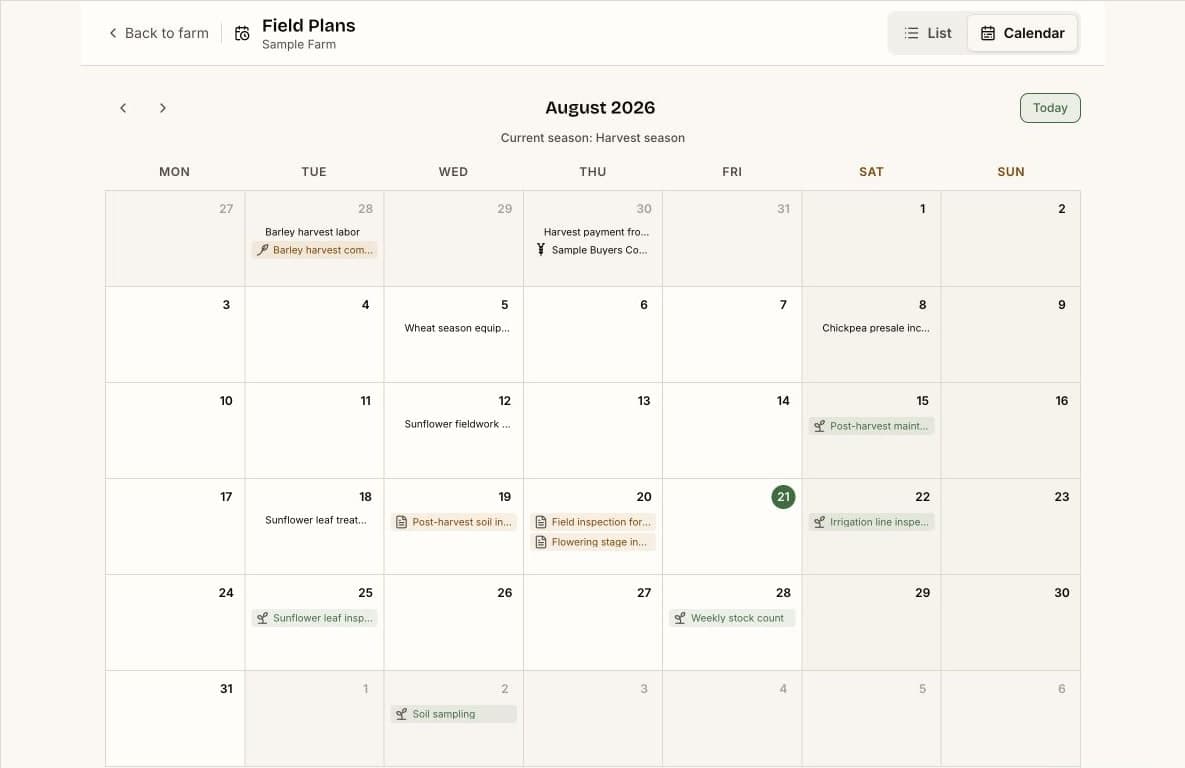
See the operation's time in one calendar

Bring field work, income and expenses, due dates and plans together in the same monthly view.
  • Daily records
  • Upcoming plans
  • Monthly view
Harmiqa monthly calendar showing field work, money movements and plans together

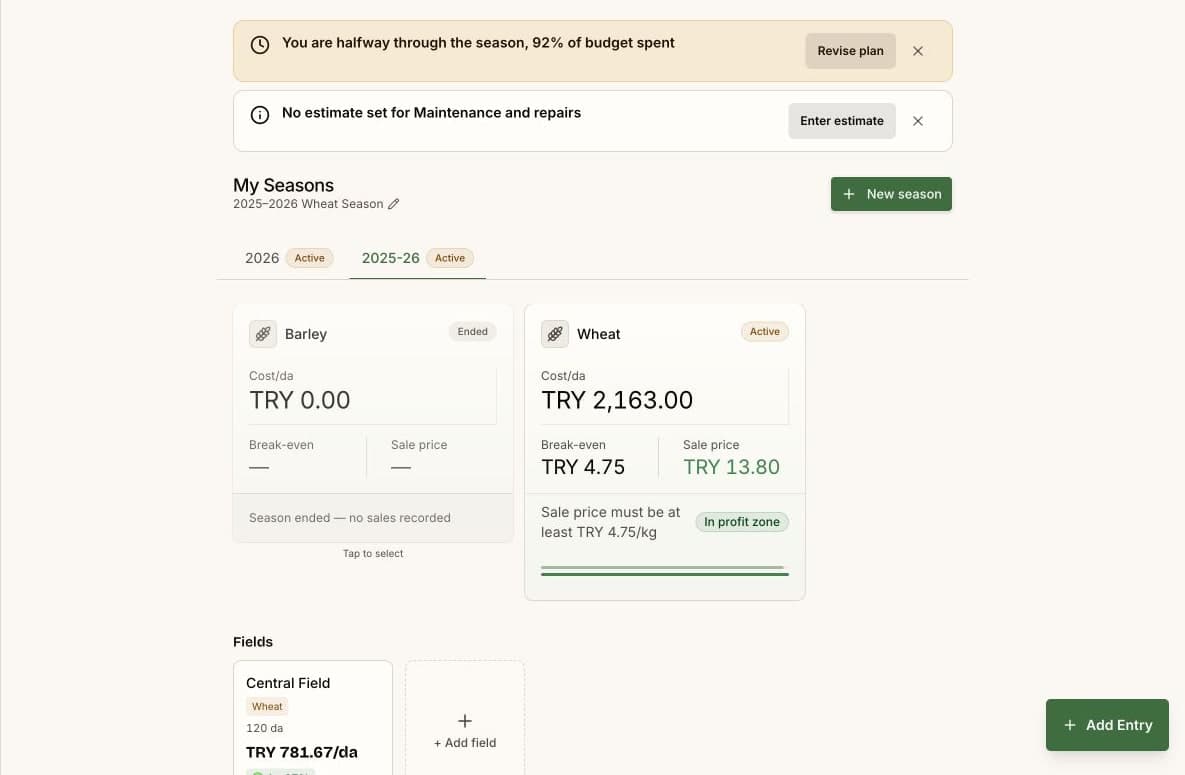
Build the budget before the season starts

Plan expected yield, price and costs by crop and field. Follow forecast and actual results together as the season progresses.
  • Expected income
  • Cost items
  • Forecast and actual
Harmiqa season budget comparing expected income and costs with actual results

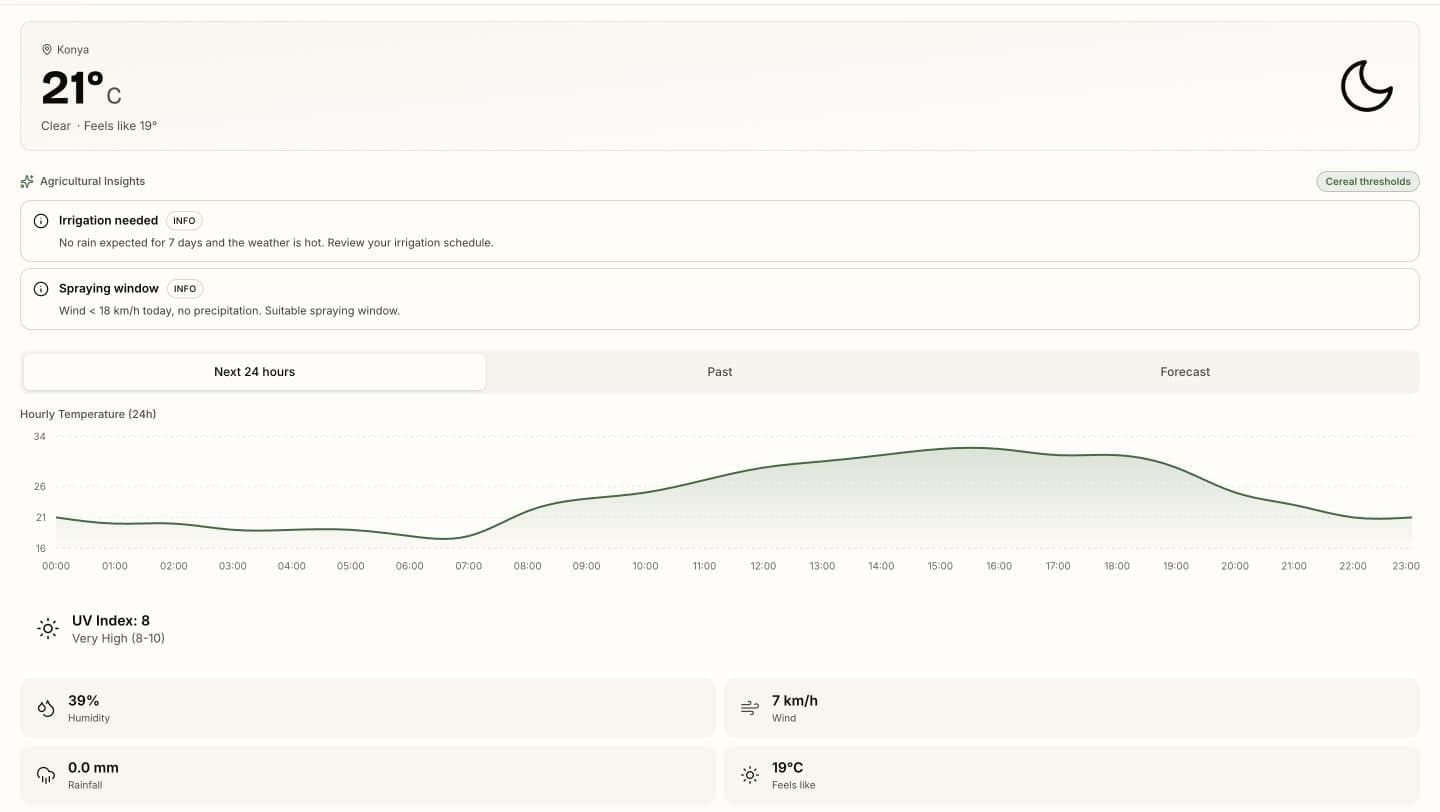
Turn weather into a field decision

Review the seven day forecast with field indicators such as frost, heat, irrigation needs and spraying windows.
  • Seven day forecast
  • Risk indicators
  • Field guidance
Harmiqa weather screen showing a seven day forecast and field guidance

All features

Browse all 28 Harmiqa features in one directory

Open one of four groups and find the capability you need with a short description.

  • Farm and fields on the mapDraw a field on the map and save its boundary, area and crop. Filter and review fields in a list or on the map.
  • Stock and input trackingTrack purchases, usage, counts and critical levels for seed, fertilizer and pesticide. Link cash purchases to expenses and credit purchases to debts.
  • Warehouse managementReceive harvested quantities into the warehouse and track sold and remaining amounts after partial sales.
  • Equipment and maintenance datesKeep tractors and equipment with status, value, documents and last or next maintenance dates.
  • Worker trackingDefine daily, hourly or monthly pay. Track work, earnings, payments and each worker's statement.
  • Operation-level personalizationTurn sections on or off and configure categories, area units and operation preferences.

  • One entry pointReach income, expense, purchase, field work, harvest and worker forms from one entry point.
  • Field diaryKeep each field's dated history of work, stock usage, notes, photos and documents.
  • Field workLog planting, fertilizing, spraying, irrigation and other operations against the relevant field.
  • Income and expensesRecord money movements with date, category, field and receipt-image links to keep the financial view current.
  • Fuel depot and allocationAllocate fuel by operation, area and tractor, linking it to stock and field cost.
  • Harvest and salesRecord harvest as product quantity first. Add buyer, amount, price and collection when it is sold.
  • Debts and receivablesTrack balances, due dates and payment or collection movements separately.
  • Contracts and deliveriesSave product, quantity and price in buyer agreements and follow progress through deliveries.
  • Voice income-expense draftIn supported browsers, create an income or expense draft by voice, review the preview and save only after approval.

  • Operation calendarSee transactions, field operations, harvest, rainfall, due dates and plans together in a monthly calendar.
  • Field plansSchedule planting, fertilizing or spraying with a date and reminder. Add the same job to multiple fields and follow its status.
  • Season budgetPlan by crop, field, dates, expected yield-price and cost items. Track forecast against actuals.
  • Weather and risk indicatorsView a 7-day forecast with frost, heat stress, irrigation need, spraying-window and disease-risk indicators.
  • Rainfall, irrigation and GDDTrack rainfall and irrigation history by field and see growing degree day progress for recognized crops.
  • NotificationsGet timely alerts for upcoming plans, due dates, critical stock and relevant weather risks.

  • DashboardSee today's work, the week's status, season summary, payments, stock and weather indicators together.
  • Day, week and month viewsReview dated records through the calendar and period filters to find what happened in the past.
  • Season historyReview the financial summary within a season range and dated field work in separate views.
  • Field-level financeLink income, expenses, stock usage and fuel cost to see each field's result separately.
  • Field and period comparisonsCompare field costs per area unit. Review the monthly finance trend against the same months last year. See meaningful yield-change signals for the same field and crop.
  • ReportsReview income-expense trends, field cost, fuel efficiency, rainfall and harvest views.
  • ExportsDownload the period finance summary as PDF, report rows as CSV and the field-cost view as an image. The account archive includes JSON data and does not include media files.

PLANS

Build your system first. Move to Premium when you need more.

Free gives you enough room to establish your daily record keeping. Premium adds more capacity, comparisons and decision support.

No time limit

Free

Set up your farm and keep the core operation in one place.

  • All fields and parcels
  • 100 field records each account year
  • Unlimited finance, stock, production, warehouse and labor records
  • 1 photo and 3 documents for each field
  • 20 voice entries and 4 receipt attachments each month
  • 10 equipment creations over the lifetime of the account
  • Core weather, budget, notification and reporting tools
Coming soon

Premium

Professional

Remove the limits and support season decisions with deeper data.

  • Everything in Free with unlimited usage
  • Unlimited field records, voice entries, receipts and field media
  • Unlimited equipment, maintenance records and equipment media
  • Contract and delivery management
  • Agricultural risk, crop development, GDD and seasonal rainfall
  • Past budgets, period comparisons and advanced reports
  • Annual PDF exports and custom report alerts

Your records stay safe when your plan changes. Premium data remains visible and read only on Free.

Questions on your mind

Short answers to what you're wondering.

Manage your fields as one operation, not separate pieces.

Let the system you build on the map become your operation's memory through work, stock, money, calendar and season records.

Create Your FarmExplore all features

Start on the map and expand your records as you need them.